
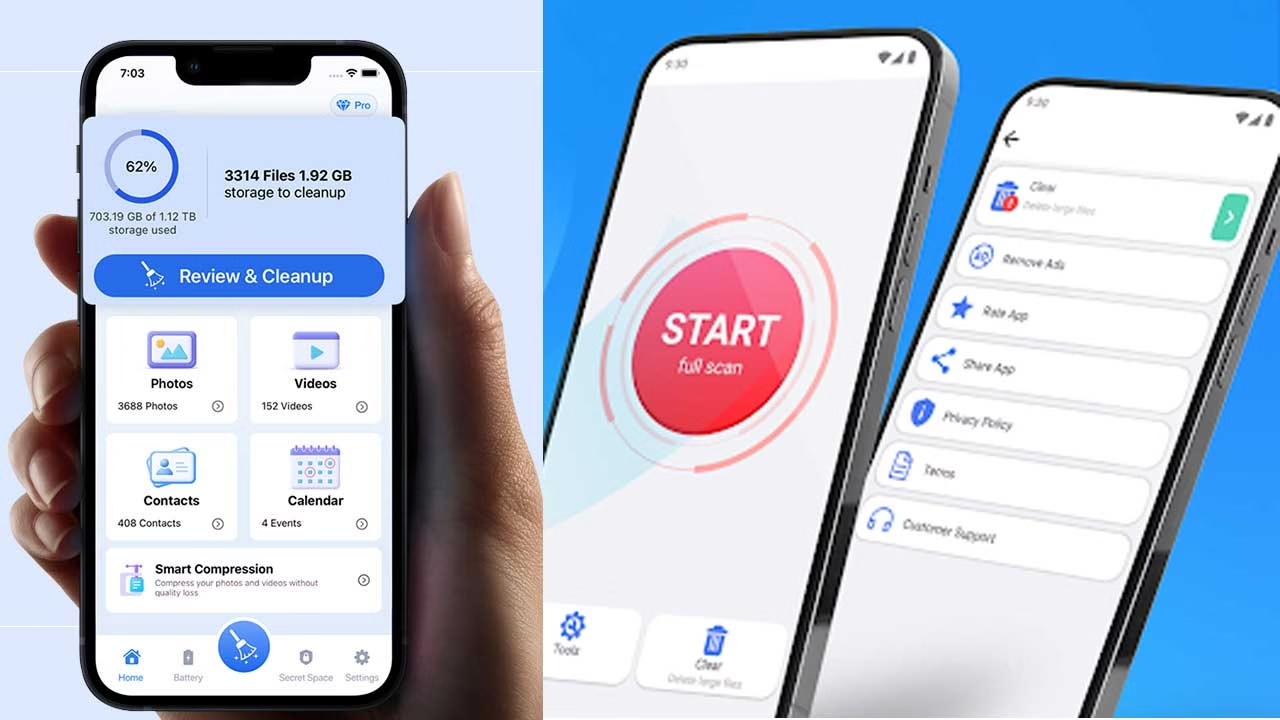
It usually starts with a small warning—“Storage almost full.” At first, it’s easy to ignore. But over time, photos stop downloading, apps fail to update, and even basic tasks feel slower. Many users don’t remember saving large files, yet space keeps disappearing. That’s when apps like Phone Cleaner – Junk Files come into the picture as a possible fix.
What’s Really Taking Up Space
Most of the storage issue isn’t caused by obvious files like photos or videos. Instead, it builds up quietly through cached data, temporary files, and leftover fragments from apps that were used once and forgotten. Social media apps, browsers, and streaming platforms are some of the biggest contributors. These files are created to improve speed and user experience, but over time they accumulate beyond what’s actually useful. The problem is that users rarely see this data directly in their storage settings, which makes it harder to manage.
How the App Works in Simple Terms
When you open Phone Cleaner – Junk Files, it scans your phone’s storage and identifies files that are not essential for long-term use. Instead of focusing on personal files, it looks at system-generated data like cache, residual files, and temporary logs. The app then groups this data into categories, making it easier to understand where space is being used. With a single action, users can remove selected files without going through each app manually.
What Using It Feels Like in Real Situations
In practice, the app is often used during moments of urgency—when storage runs out or an app refuses to update. After opening it, users typically see a breakdown of how much space can be cleared. This immediate visibility is one of its most useful aspects. Once the cleaning process is done, there is usually a noticeable increase in available storage. Apps may open slightly faster at first, especially if they were struggling due to low space. However, this improvement is often temporary if the underlying usage habits remain unchanged.
Understanding What Happens After a Cleanup
One detail many users notice only later is how apps behave after a cleanup. When cached data is removed, apps often need to reload everything from scratch—images, thumbnails, and even certain preferences. This can make apps feel slightly slower for a short time, especially right after cleaning. It’s not a flaw in the app, but a natural result of clearing stored data that was originally meant to speed things up. Recognizing this helps users avoid the assumption that something went wrong when, in reality, the phone is simply rebuilding what it needs.
Features That Actually Make a Difference
One of the more practical features is the ability to highlight which apps are generating the most unnecessary data. This shifts the focus from just cleaning to understanding usage patterns. For example, users may realize that a single app is responsible for a large portion of storage consumption. Another useful feature is duplicate file detection. Photos or downloaded files often exist in multiple copies without users noticing. Removing these can free up space more effectively than clearing cache alone.
Battery-related features, such as closing background apps, are also included. While they can help in specific cases—like when an app is stuck—they don’t always lead to consistent battery improvements in everyday use.
Where It Helps and Where It Doesn’t
The app works best when the problem is clearly related to storage buildup. If your phone is full due to accumulated cache and temporary files, it can provide quick relief. It’s also helpful for users who prefer a simple interface instead of navigating through multiple system settings.
However, it doesn’t solve deeper performance issues. If a phone is slowing down بسبب heavy apps, outdated software, or limited hardware capacity, cleaning junk files alone won’t make a significant difference. In some cases, clearing cache too often can even make apps reload data repeatedly, which may feel slower for a while.
A More Practical Way to Use Cleaner Apps
Using Phone Cleaner – Junk Files occasionally, rather than frequently, tends to be more effective. It works best as a tool for checking what’s happening inside your storage rather than something to rely on daily.
Over time, users who pay attention to which apps consume the most space often make better decisions—like adjusting app settings or removing apps that are no longer needed. That approach usually has a longer-lasting impact than repeated cleaning.
Download App
Storage issues rarely come from a single cause. They build up through small, unnoticed actions over time. Having a tool that makes those patterns visible can be useful, but the real improvement comes from how that information is used afterward.