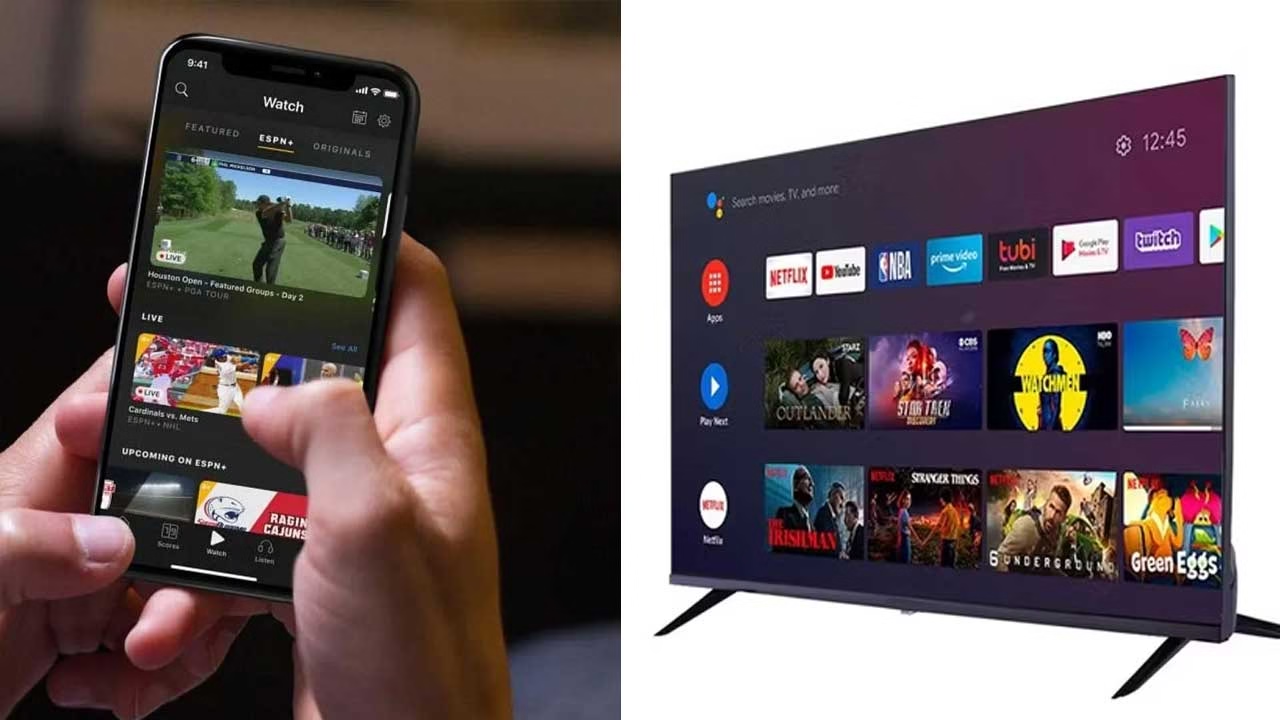
Watching a phone screen on a large television used to feel like a feature reserved for expensive smart devices, but USB screen sharing apps have quietly changed that experience. Instead of depending entirely on unstable wireless casting, many users now prefer direct USB connections because they reduce lag, improve clarity, and work even in places with weak Wi-Fi signals. This shift has made USB-based phone-to-TV apps more practical than many people expected.
Why USB Screen Sharing Is Becoming Popular
Wireless casting sounds convenient, but it often struggles with buffering, delayed audio, and random disconnections. USB screen sharing apps solve a different problem altogether. They focus on stable transmission through physical connectivity, which becomes especially useful for gaming, presentations, and watching high-quality videos. Many users discover that a wired connection creates a smoother viewing experience compared to wireless mirroring.
How the App Connects a Phone to a Television
Most USB screen share apps work by creating a bridge between the smartphone and the television using compatible cables or adapters. Once connected, the app detects the external display and mirrors the phone interface onto the larger screen. Some televisions support direct recognition, while others rely on HDMI adapters connected through USB-C or micro USB ports. The app acts as the communication layer that manages resolution and display synchronization.
The Difference Between Screen Mirroring and Media Casting
A common misunderstanding is that screen sharing and media casting are the same feature. Media casting only transfers selected content like videos or music to the TV, while screen sharing duplicates the entire phone display. USB screen share apps are designed for full-screen duplication, which means games, social media apps, documents, and even live video calls can appear directly on the television screen without changing applications.
Why Gamers Prefer Wired Screen Sharing
Mobile gaming has become more competitive, and even a small delay can affect gameplay. Wireless casting introduces latency that may not matter during movie playback but becomes noticeable during fast-action games. USB screen sharing reduces this delay significantly because data moves through a direct physical connection. For racing games, multiplayer shooters, or sports simulations, the smoother response makes the experience feel more natural on larger screens.
Educational Use Beyond Entertainment
Students and teachers are finding unexpected value in phone-to-TV apps. Instead of carrying laptops everywhere, many users now open study materials directly from their phones and display them on televisions in classrooms or homes. Educational videos, handwritten notes, and PDF documents become easier to explain on larger displays. This is particularly useful in smaller institutions where advanced projection equipment may not be available.
Importance of Device Compatibility
Not every phone supports USB display output, which surprises many first-time users. Some smartphones allow video output through USB-C ports, while others only support charging and file transfer. Before installing a screen share app, users should verify whether their device supports display transmission protocols. Compatibility often matters more than the app itself because hardware limitations cannot always be bypassed through software.
Why Video Quality Feels Better With USB
One noticeable advantage of USB-based sharing is image consistency. Wireless casting compresses data heavily to maintain speed over Wi-Fi, which can reduce sharpness during fast-moving scenes. USB transmission handles higher data stability, resulting in clearer visuals and fewer frame drops. This becomes more visible when streaming HD videos or viewing detailed photos on large television screens.
Privacy Advantages of Wired Connections
Few people discuss the privacy aspect of USB screen sharing. Wireless casting sometimes exposes devices to accidental discovery on public or shared networks. A wired connection removes much of that risk because the transmission stays physically connected between the phone and television. Users sharing sensitive work documents or private media often prefer this approach for added control over visibility.
Battery Consumption During Screen Sharing
Continuous screen mirroring drains smartphone batteries quickly, especially during wireless transmission. USB-based apps reduce some of this pressure because many setups allow simultaneous charging while sharing the display. This small advantage becomes important during long presentations, movie streaming sessions, or extended gaming periods where battery loss would otherwise interrupt usage.
The Growing Demand for Simple TV Connectivity
Many households own televisions that are still functional but lack advanced smart features. USB screen share apps help bridge this gap without forcing users to purchase expensive streaming hardware. By turning a regular television into a secondary display for smartphones, these apps extend the usefulness of existing devices instead of replacing them entirely.
Download App
The popularity of USB screen sharing reflects a larger change in how people use smartphones today. Phones are no longer treated only as communication tools; they increasingly function as entertainment hubs, portable workstations, and learning devices. Connecting them directly to televisions through reliable USB sharing apps creates a more seamless digital environment where small screens no longer limit the experience.