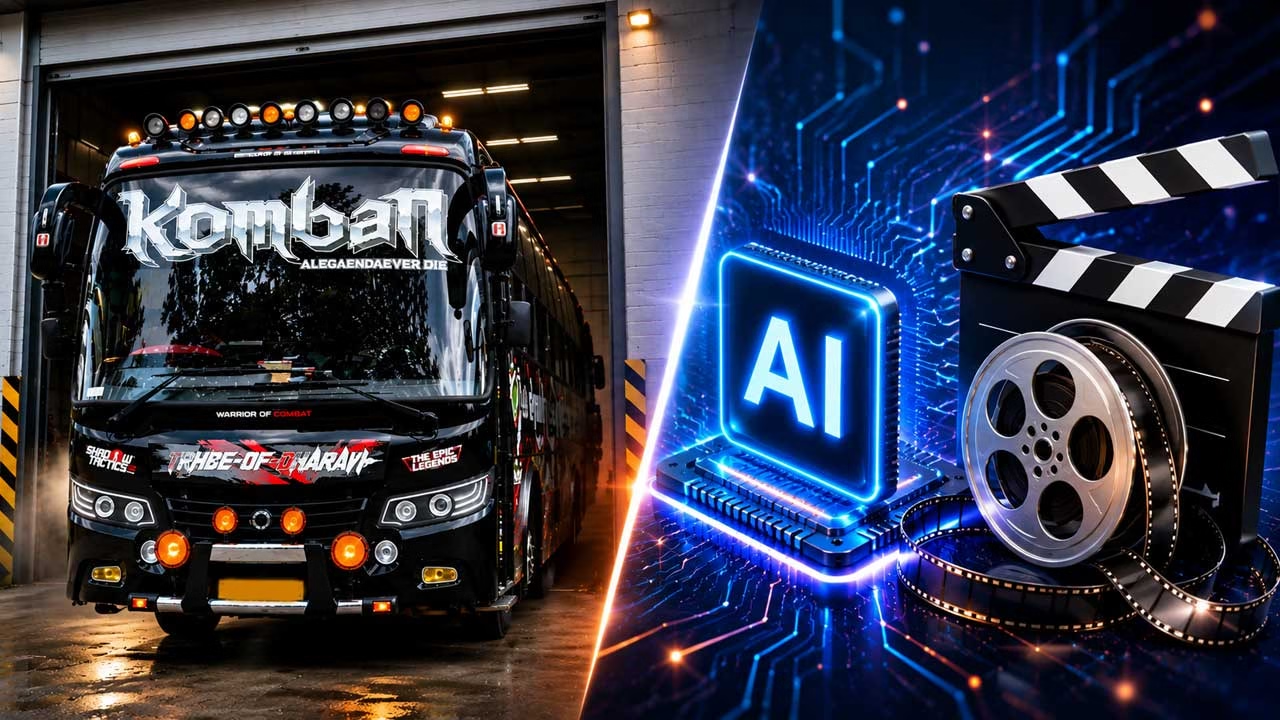
The moment a familiar bus rolls out of a garage can be turned into a strong visual story with AI video. Instead of presenting the vehicle as an ordinary moving object, the scene can make its redesigned appearance the reason for the reveal. This approach is useful for testing a new bus design, presenting a customized vehicle concept, or creating an engaging visual for social media.
Build the Scene Around a Vehicle Reveal
A convincing AI video starts with a simple sequence that the viewer can understand immediately. The bus is initially hidden inside the garage, with only part of its front visible. It then starts moving forward and gradually enters the open area. This natural progression gives the generator a clear action to follow and creates a sense of anticipation without requiring complicated storytelling.
Describe the Bus as a Finished Design
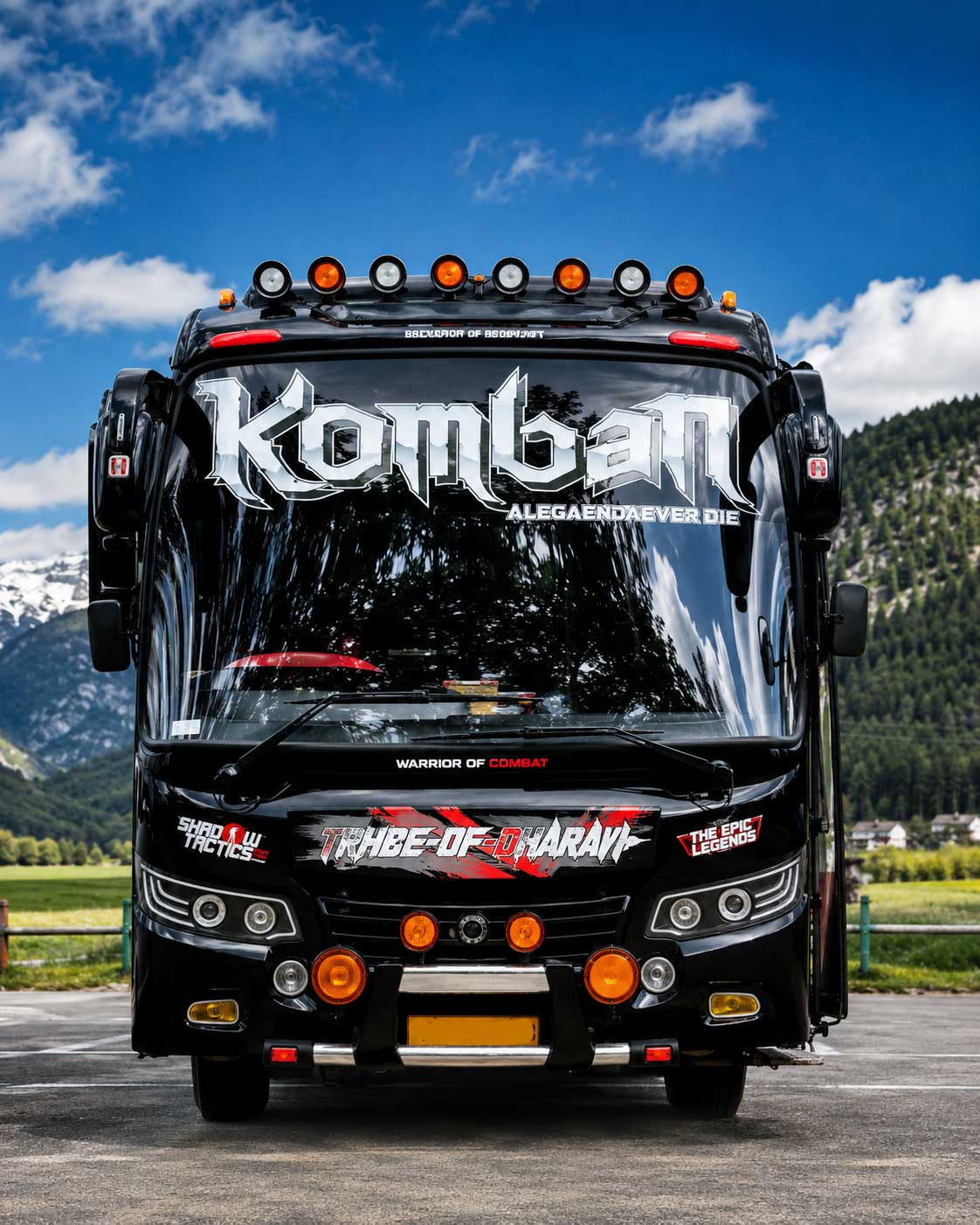
The bus should be described as an already completed vehicle rather than something that is being physically modified during the video. Mention its body shape, exterior finish, lighting arrangement, windshield appearance and decorative elements. If the vehicle has a distinctive identity, those details should remain unchanged from the beginning to the end of the generation.
Use the Garage to Create Contrast
A darker garage can provide an effective contrast against the brighter surroundings outside. When the bus crosses from the interior into daylight, its exterior becomes easier to see. This change in brightness can naturally emphasize the new appearance without depending on artificial transition effects. A realistic floor, garage walls and practical lighting can further establish the location.
Control How the Bus Moves
Vehicle movement needs special attention because AI-generated motion can easily become unrealistic. The bus should move forward at a steady speed with its wheels rotating naturally and its body maintaining the correct proportions. The suspension should not bounce excessively, and the vehicle should remain aligned with the ground. A straightforward movement is often more convincing than an elaborate driving sequence.
Keep the Camera Focused on the Exterior
The camera can begin several metres away from the garage and slowly move backward as the bus approaches. This allows the entire front of the vehicle to remain visible while creating the impression that the camera operator is deliberately filming the reveal. A stable camera position also gives the AI fewer changes to interpret, which can help preserve the bus design between frames.
Place the Given Text in a Specific Location
When the bus contains custom wording, the prompt should explain where that wording belongs instead of simply listing the text. For example, the main name can be placed across the upper windshield while smaller markings remain on the lower front panel. This distinction helps separate the important lettering from decorative elements and reduces the chance of the generator rearranging the design.
Tell the AI Exactly How the Colors Should Appear
Color instructions can be made more useful by connecting each color to a particular section of the vehicle. Rather than saying that the bus should have several colors, specify whether they belong on the main body, lower bumper, roof details, stripes or graphics. The same arrangement should continue throughout the shot so the vehicle does not appear to change its paint scheme halfway through the video.
Make the Lighting Match the Environment
Lighting should change naturally as the bus leaves the garage. The portion inside the building can have softer artificial illumination, while the exterior can receive daylight from the surrounding environment. Reflections on the windshield and glossy bodywork should respond to those conditions. This small detail can make the generated footage feel more like a camera recording than a computer-generated animation.
Prompt
Replace the bus in the video with the bus in the firsng any detailing. Don’t make any changes in the words and writing over the bus in the first photo. Everything should be clear and accurate as same in the photo attached. Length and width of the bus should be same as in the Photo and get output as the video
Review the Generated Video Carefully
After generating the first version, examine individual moments rather than judging only the opening and closing frames. Look for changes in the bus lettering, missing lights, altered mirrors, inconsistent windows or body parts that shift during movement. If one particular detail fails, adjusting that part of the prompt can be more effective than completely redesigning the scene. Several controlled generations can gradually produce a cleaner result.
The finished video should feel like a genuine unveiling of a redesigned bus rather than an obvious AI experiment. A simple garage-to-daylight movement gives the vehicle a clear visual journey, while consistent colors, lettering, proportions and reflections help preserve its identity. The strongest version is usually the one where the bus itself remains the focus and every surrounding element supports that reveal without competing for attention.