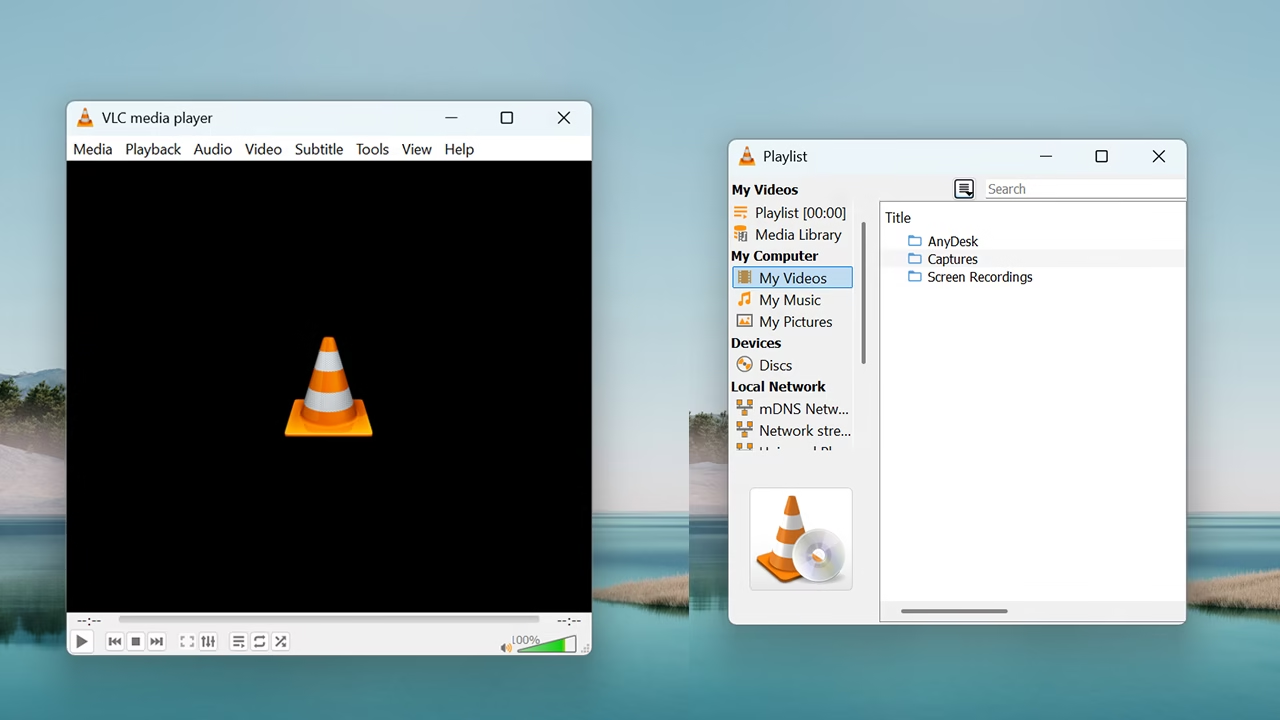
Some applications demand attention, updates, permissions, and constant interaction, but the VLC app follows a different philosophy. It stays in the background, opening files instantly and disappearing once the job is done. Many users realize its value only after switching devices or reinstalling systems, when VLC becomes the first app they install again without hesitation or comparison.
VLC App as a Digital Problem Solver
Rather than positioning itself as an entertainment-focused application, VLC functions more like a problem-solving utility. When videos fail to load, audio goes silent, or formats appear unreadable, VLC often succeeds where others fail. This reliability has turned it into a trusted fallback solution for students, office workers, and creators who cannot afford playback interruptions.
Lightweight Design With Serious Capabilities
The VLC app maintains a lightweight footprint despite its powerful internal engine. It launches quickly, consumes minimal storage, and avoids unnecessary animations. This design choice directly benefits users on budget smartphones, older laptops, and shared systems. Performance stability, rather than visual flair, is what keeps VLC practical across diverse hardware environments.
Mobile Experience Optimized for Daily Use
On mobile devices, VLC offers a smooth and distraction-free experience. Gesture-based controls allow brightness and volume adjustments without touching system settings. Background audio playback enables podcasts, lectures, and long videos to continue even when the screen is locked. These features make VLC suitable for commuters and multitaskers who rely on efficient media consumption.
File Organization and Media Discovery
VLC automatically scans storage locations and categorizes media based on folders and metadata. Users can browse content by albums, directories, or recently played files without manual sorting. This intelligent organization reduces the need for third-party file managers and simplifies navigation, especially for users with large offline media collections.
Battery Efficiency and Thermal Control
Unlike many media apps that drain battery quickly, VLC is optimized for energy efficiency. It avoids unnecessary background services and adapts playback processes to device capabilities. This results in lower heat generation and longer playback sessions, which is especially important for users watching long videos or attending extended online classes.
Playback Repair and Error Handling
One lesser-known strength of the VLC app is its ability to handle damaged or incomplete media files. It can attempt automatic repair, skip corrupted frames, or continue playback without crashing. This feature is valuable in real-world situations where downloads are interrupted or recordings are partially saved due to power or network issues.
Casting and External Display Support
VLC supports casting media to smart TVs, external monitors, and wireless displays without complex setup. Users can mirror or stream content locally without relying on proprietary ecosystems. This flexibility makes VLC useful for presentations, family viewing, and professional demonstrations where seamless screen sharing is required.
Custom Controls and Keyboard Mapping
For desktop users, VLC allows extensive keyboard shortcut customization. Users can map actions based on personal habits or accessibility needs. This level of control benefits professionals who review content frequently, enabling faster navigation and reduced reliance on mouse input during long playback sessions.
Ad-Free Environment and User Trust
VLC’s completely ad-free interface creates a clean and professional atmosphere. Users are not distracted by banners, pop-ups, or promotional content. This absence of monetization pressure builds long-term trust and makes the app suitable for educational institutions, corporate environments, and households where uninterrupted usage is a priority.
Download App
Tamil : https:iptv-org.github.io/iptv/languages/tam.m3u
Telugu: https://iptv-org.github.io/iptv/languages/tel.m3u
Kannada: https://iptv-org.github.io/iptv/languages/kan.m3u
Malayalaam: https://iptv-org.github.io/iptv/languages/mal.m3u
India: https://iptv-org.github.io/iptv/countries/in.m3u
World: https://iptv-org.github.io/iptv/index.m3u
Open Ecosystem and Community-Driven Growth
The VLC app continues to evolve through community feedback rather than aggressive commercial strategies. Developers focus on stability, compatibility, and user control instead of trends. This approach ensures that VLC remains relevant across generations of devices, quietly adapting to new media standards without losing its original simplicity or purpose.